
Blog: Art-Kubed
Introducing Operant Browser Protection: Defending the Browser as It Becomes an AI Runtime
Remember the days (not too long ago), when you could just leave a million tabs open on your browser and they just sat there, doing nothing but waiting for your return? The unbooked vacation, the unfinished article, a pile of dusty artifacts of dinnertime 'who's right' lookups…
For thirty years the browser has largely been a viewport. It rendered what it was given, driven by global standards and protocols, and did not run amuck to act on its own based on the latest models out there.
That is over. Agentic browsers now expose page content, the tab graph, history, and authenticated connectors to a model so it can reason across pages and act — opening tabs, clicking, filling forms, chaining multi-step workflows on the user's behalf. The browser has become a runtime for delegated cognition rather than a rendering engine. Copilot Mode in Edge, Gemini in Chrome, Claude for Chrome, and Perplexity's Comet all ship a version of it today.
Which means the most privileged process on your employee's laptop is now the one holding live sessions to every system they are logged into — and taking instructions from whatever it reads.
Two threats, one surface, opposite directions
Data going out. The older problem, and already expensive. The 2026 Verizon DBIR found regular AI use on corporate devices jumped from 15% to 45% in a year, with 67% of users on non-corporate accounts. Across 858,440 DLP events involving generative AI uploads, source code was the most frequently submitted data type by a wide margin. IBM put shadow AI in one in five breaches, adding roughly $670,000 to each.
Instructions coming in. The newer problem, arriving fast. A University of Washington study published in July 2026 tested seven agentic browsers and found four — ChatGPT Atlas, Chrome with Gemini, Claude for Chrome, and Perplexity Comet — created conditions for an attacker to bypass the same-origin policy, the 1995-era boundary preventing one site from reading another's data. The researchers demonstrated a working proof-of-concept and concluded browser agents aren't ready for the public. OpenAI's chief information security officer has called prompt injection a frontier, unsolved security problem.
The second direction is the one nobody instruments. Every browser control in the enterprise is oriented outbound. When the browser only answered questions, that was defensible. Now that it acts, what comes back into the page is an instruction stream executing inside an authenticated session — and it is the channel with no coverage at all.
Any control that protects one direction and not the other is covering half of a runtime.
Why the two obvious answers don't reach it
DLP and CASB inspect artifacts. They were built on the assumption that data leaves as a file uploaded, an attachment sent, a document synced. A paste into a prompt box creates none of those — no file, no transfer event a CASB recognizes, just keystrokes into an allowed web app. The transport frequently isn't inspectable either: Forcepoint documents that QUIC traffic from Chrome, Edge, Brave, Firefox, and Safari may not be intercepted by their proxy, and Cloudflare's own documentation states HTTP/3 from Chrome bypasses inspection entirely when TLS decryption or the UDP proxy is off. Certificate pinning removes decryption as an option outright. And when inspection does work, the resolution is wrong: a CASB maps a connection to api.openai.com and reports "OpenAI" — it cannot see which model, which tool calls, whether MCP servers were involved, or what was in the prompt.
Enterprise browsers govern containers. The secure-browser category answers with copy-paste restrictions, download control, watermarking, and session isolation. Those are real controls, but they are binary — they block the safe paste and the unsafe paste identically, which is why users route around them the same way they route around a blocked domain. Two deeper problems follow.
The first is that a control which is a browser has to win the browser. That was a reasonable bet in 2023 and a poor one now, with the AI-native browsers your users actually want to be in arriving monthly, each one a Chromium fork that isn't yours.
The second is scope. A browser control covers the browser. Your coding agents, CLI sessions, desktop assistants, and MCP connections are then governed by a different engine, with separate policies and a separate audit trail — two policy planes that drift apart within two quarters. We have watched it happen in every organization that answered each new AI surface with a new point tool.
DLP reads artifacts. Enterprise browsers govern containers. Neither reads the conversation.
Where we put the control point
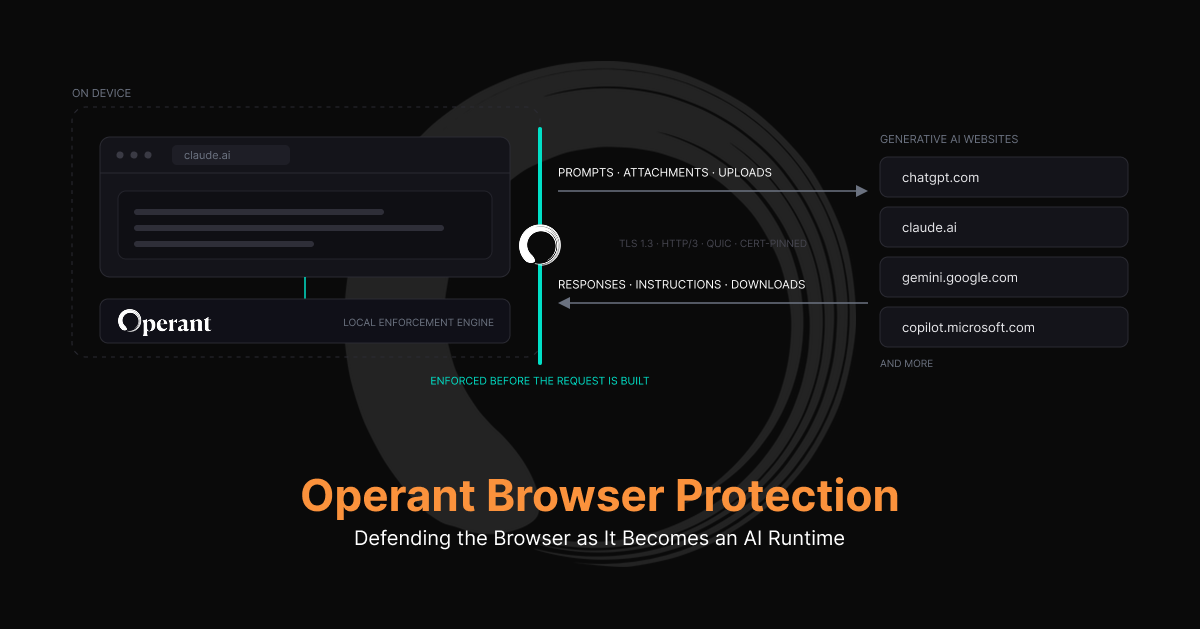
Operant Live Browser Protection applies your organization's policies while employees use generative AI websites. It runs in the background — users stay in the tools they know, and sensitive content is allowed, redacted, or blocked according to policy at the moment of the action.
It is not a standalone product. It is an extension of Operant Endpoint Protector, which is required for it to function. The extension observes the interaction inside the page — where the prompt exists as plaintext, before any transport is negotiated — and evaluates it through the local Operant Gateway that Endpoint Protector already runs on the device.
Operant’s approach leaps beyond the state-of-the-art:
- Transport stops mattering. QUIC, HTTP/3, pinning, split tunnels, VPN off in a hotel — none of it affects enforcement, because the decision happens before the request is constructed. No proxy to bypass, no backhaul.
- One policy engine. The classification pipeline and audit trail governing a browser prompt are the same ones governing a Claude Code session, a CLI agent loop, and an MCP tool call. One PII definition. One record.
- Both directions covered. Prompts are checked before submission; responses are checked before they render. That second half is the control that matters once the browser starts acting on what it reads.
Every checked action resolves to a state the user can see:
- Allowed — proceeds normally. The overwhelming majority, and invisible.
- Sanitized — Operant replaces restricted content and submits the sanitized version instead of the original. The question still gets answered; the account number never reaches the model. This is what makes governed enablement real rather than rhetorical.
- Blocked — the action stops, with an explanation in the page, and a blocked prompt stays available for editing. Attachments and downloads requiring sanitization are blocked rather than rewritten — silently altering a file the user never sees altered is worse than an honest stop.
- Checking — evaluation in progress.
The same verdicts apply to local text attachments selected, dropped, or pasted into a supported AI site, to text files generated for download, and to site access itself where policy requires blocking a provider outright. By default, content is blocked when the protection service is unavailable.
Coverage and deployment
3D - The Operant Way: Discover which AI sites are in use, by whom, from which accounts. Detect at the prompt, the response, the attachment, the download. Defend inline — allow, sanitize, or block before the action completes.
Support covers all Chromium-based browsers — Chrome, Edge, Brave, and Firefox account for most managed fleets — with built-in support for ChatGPT (chatgpt.com), Claude (claude.ai), Gemini (gemini.google.com), Microsoft Copilot (copilot.microsoft.com), and more.
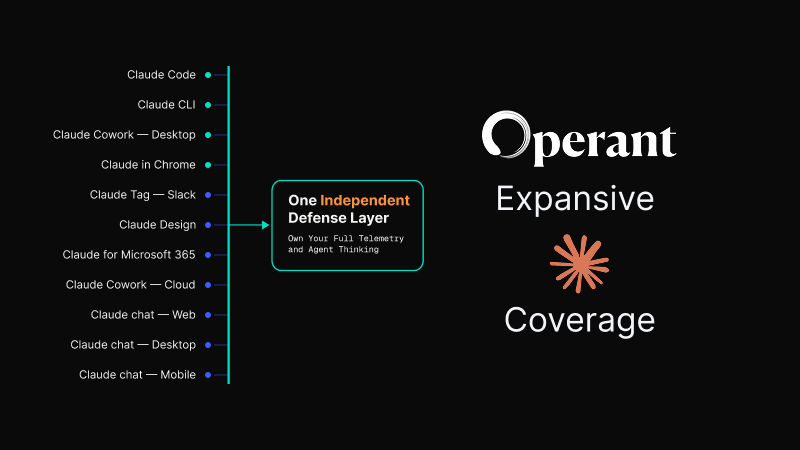
Building on the Chromium extension platform rather than a per-vendor integration, Operant’s coverage stays expansive as newer platforms emerge over the coming years. The AI-native browsers arriving now are, almost without exception, Chromium forks — as one analyst put it, starting from Chromium essentially makes them Chrome with AI layered on top. Deployment runs through the management tooling you already have: Microsoft Intune, Jamf and similar tools across Windows, macOS, and Linux.
Operant Live Browser Protection is now available through our 7-day free trial.
.avif)